Static sites are fast, cheap to host, and simple to maintain. But they have one persistent gap: forms. An HTML form needs a server to receive the submission. Without one, the form just sits there doing nothing.
The Static Site Form Problem
If your site is hosted on GitHub Pages, Netlify, Vercel, or any static hosting, you can’t process form submissions out of the box. The HTML <form> element needs an action URL pointing to a server endpoint that handles the POST request.
The common solutions each come with tradeoffs. Dedicated form services charge per submission or have branding on free tiers. Netlify Forms only work on Netlify. Building your own API endpoint means maintaining a server just to receive contact form data.
FileGrab Forms as a Drop-In Solution
FileGrab’s form builder lets you design a form visually, then embed it on any website with a single script tag. FileGrab handles the submission storage, bot protection, and data export. Your static site stays static.
No server endpoint to build. No third-party form service to configure. No API keys to manage in your frontend code.
How to Embed
Step 1: Build your form. Go to /form/new and add the fields you need. For a contact form, that’s usually name (text), email (email), and message (textarea). Mark the ones you want as required.
Step 2: Click the embed button. In the form builder, look for the embed option. It generates a script tag specific to your form.
Step 3: Copy the script tag. You’ll get something like:
<script src="https://filegrab.link/embed/your-form-id.js"></script>Step 4: Paste into your HTML. Put the script tag wherever you want the form to appear on your page. That’s it.
The form renders inline, styled and functional. Submissions go straight to your FileGrab account.
Sandboxed iframe Isolation
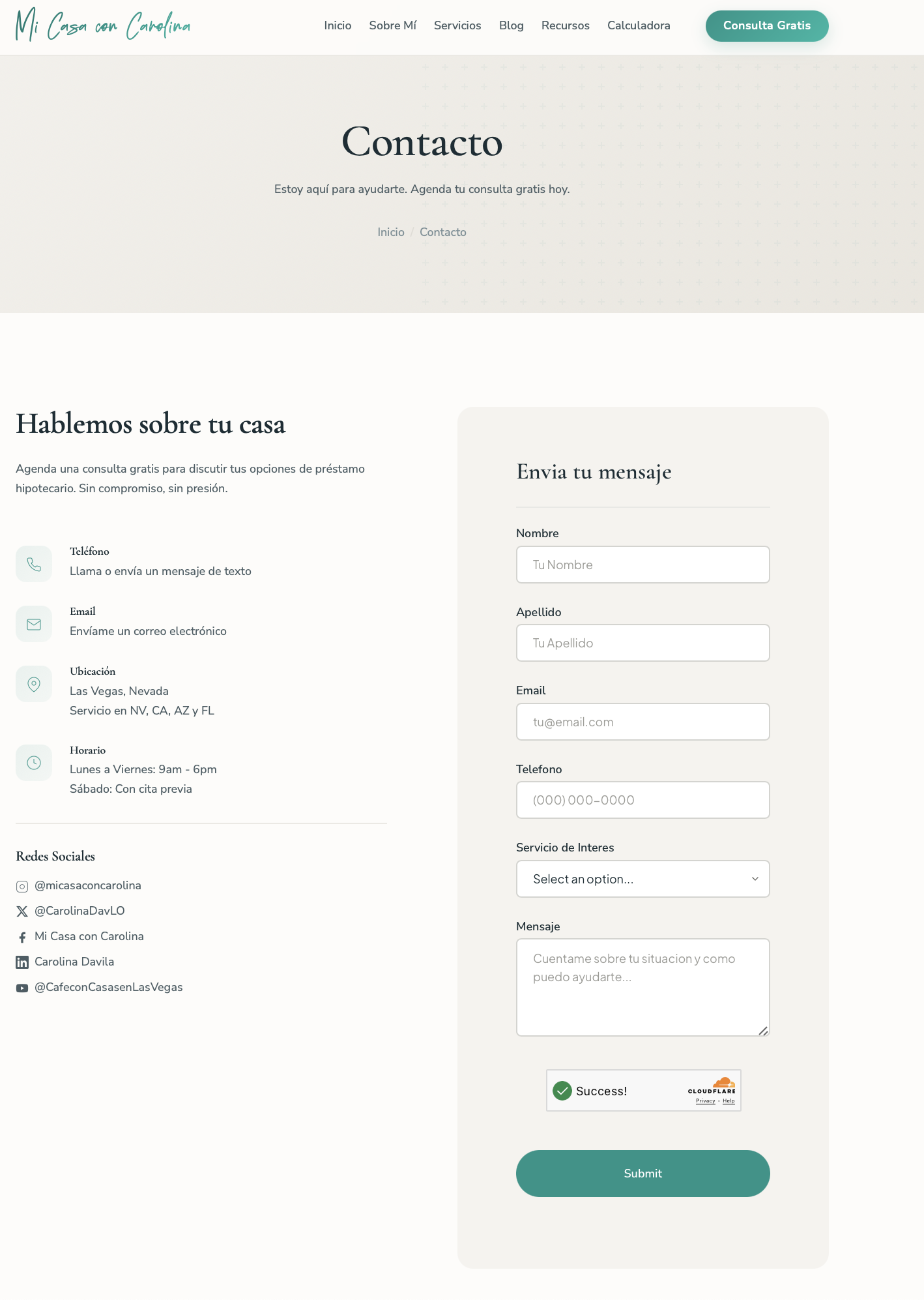
The embedded form renders inside a sandboxed iframe. This creates a complete boundary between the form and your site.
What this means in practice:
- Your site’s CSS won’t break the form’s layout or typography
- The form’s CSS won’t override your headings, links, or body styles
- You don’t need to worry about class name collisions
- The form looks consistent regardless of what CSS framework your site uses
- Form submissions are handled securely within the iframe sandbox
If you’ve ever embedded a third-party widget that clashed with your stylesheet, the iframe approach eliminates that problem.
Built-in Bot Protection
Every embedded form includes Cloudflare Turnstile verification automatically. Turnstile runs in the background without showing a CAPTCHA puzzle to your visitors. It verifies that the submission comes from a real browser session, not a bot.
On top of that, forms include honeypot fields — hidden inputs that real users never see but bots fill in automatically. Submissions with honeypot data are silently rejected.
You don’t need to configure any of this. It’s active by default on every form.
Viewing Submissions
Log into FileGrab and go to your forms dashboard. Click any form to see its submissions in a table view. Each row shows the respondent’s answers along with a timestamp.
When you need the data outside of FileGrab, export as CSV. The file includes all fields and submission metadata, ready for import into a spreadsheet, CRM, or whatever tool you’re working with.
Customize Everything
The embed SDK gives you full control over how the form looks and reads. Two objects handle this: theme for appearance and locale for language.
Theme
Match the form to your site’s design. Colors, fonts, spacing, input padding, label sizing, button shape — all configurable from the embed code.
<script>
  FileGrabWidget.form({
    formId: 'YOUR_FORM_ID',
    container: '#filegrab-form',
    theme: {
      primaryColor: '#0d9488',
      backgroundColor: 'transparent',
      textColor: '#1a2e35',
      fontFamily: "'Nunito Sans', -apple-system, BlinkMacSystemFont, sans-serif",
      headingFontFamily: "'Cormorant Garamond', Georgia, serif",
      fontCssUrl: 'https://fonts.googleapis.com/css2?family=Cormorant+Garamond:wght@400;600&family=Nunito+Sans:wght@400;500;600&display=swap',
      borderRadius: '8px',
      inputPadding: '16px 24px',
      fieldGap: '32px',
      labelFontWeight: '600',
      labelFontSize: '15px',
      inputFontSize: '16px',
      buttonPadding: '24px 64px',
      buttonFontSize: '16px',
      buttonFontWeight: '600',
      buttonBorderRadius: '9999px',
      titleFontSize: '2.25rem',
    },
  });
</script>
You can load custom Google Fonts via fontCssUrl, use separate heading and body fonts, control individual padding values for inputs and buttons, and set the title size. The form ends up looking like a native part of your site, not an embed.
Locale
Every string the form displays can be overridden. This means full multi-language support without any backend changes.
<script>
  FileGrabWidget.form({
    formId: 'YOUR_FORM_ID',
    container: '#filegrab-form',
    locale: {
      successTitle: 'Enviado',
      successMessage: 'Gracias por tu mensaje. Te responderemos pronto.',
      requiredHint: '* indica un campo obligatorio',
      submitButton: 'Enviar',
      errorTitle: 'Formulario no disponible',
      redirectNotice: 'Serás redirigido en breve...',
    },
  });
</script>
Combine theme and locale in the same call to get a fully branded, localized form in one script tag.
For the full list of options including density presets and all available locale keys, see the Form Embed SDK docs.
When to Use This
The embed approach works well for:
- Portfolio sites that need a contact form
- Landing pages collecting leads or interest signups
- Documentation sites with a feedback or support form
- Event pages gathering registrations
- Any static site that needs to collect data without adding a backend
If your needs are simple — collect data, review submissions, export when needed — an embedded FileGrab form handles it without the overhead of a full form backend. Visitors never need to create an account or log in to submit a response. They fill out the form and hit send.
Get Started
Build your form at /form/new, grab the embed code, and paste it into your site. The whole process takes a few minutes.