FileGrab now includes a form builder. If you already use FileGrab for file sharing, you can now collect structured data — contact details, feedback, RSVPs — from the same platform. Here’s how to create your first form, share it, and manage submissions.
Create Your First Form
Head to /form/new and give your form a name. This name shows as the form title when someone opens it, so pick something clear like “Contact Form” or “Event RSVP.”
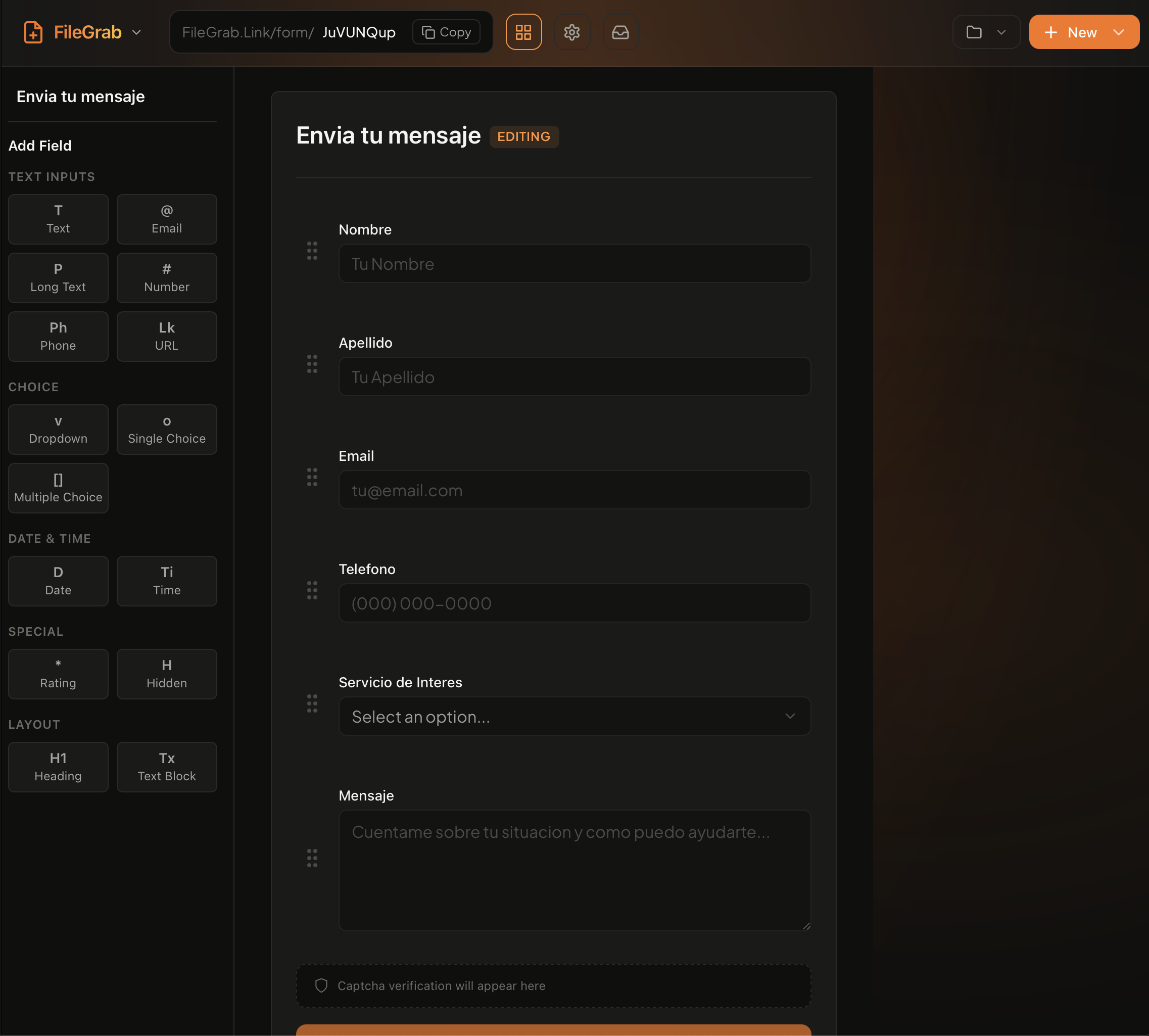
The builder opens with a blank canvas. Add fields by clicking the field type buttons. Drag fields to reorder them. Each field has a label, optional placeholder text, and a required toggle.
Available Field Types
The builder supports the field types you’d expect, plus a few extras:
- Text — Single-line input for names, short answers
- Email — Validates email format automatically
- Phone — Phone number input
- Number — Numeric values only
- URL — Validates web addresses
- Textarea — Multi-line text for longer responses
- Select dropdown — Pick one option from a list
- Radio buttons — Choose one from visible options
- Checkboxes — Select multiple options
- Date — Date picker
- Rating stars — Star rating (1-5)
- File upload — Let respondents attach files
Mix and match to build exactly the form you need. A basic contact form might use text, email, and textarea. A product feedback form might add rating stars and select dropdowns.
Configure Your Form
Below the field editor, you’ll find form-level settings:
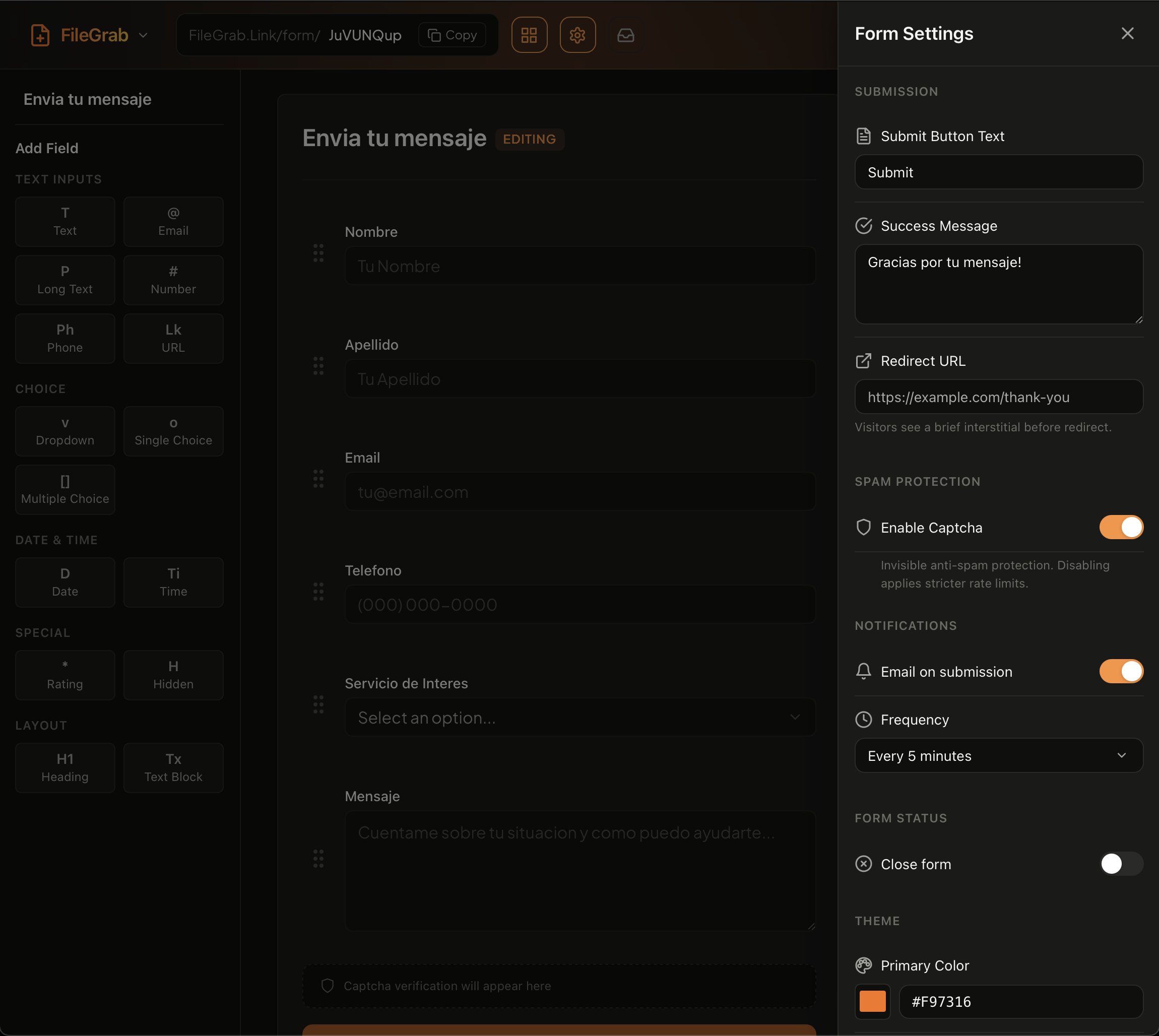
Thank you message — The text shown after someone submits. Default is a simple confirmation. Change it to something specific like “Thanks for your RSVP. We’ll see you on Saturday.”
Redirect URL — Instead of showing a thank you message, send respondents to a URL after submission. Useful for directing people to a next step, like a payment page or calendar booking link.
Close form — Stop accepting new submissions. The form URL still works, but visitors see a “This form is closed” message instead of the fields. Toggle it back on anytime.
Share Your Form
Every form gets a direct URL at /form/your-form-id. Copy it and send it anywhere — email, Slack, social media, text message.
For embedding on a website, click the embed button in the form builder. You get a script tag to paste into your HTML:
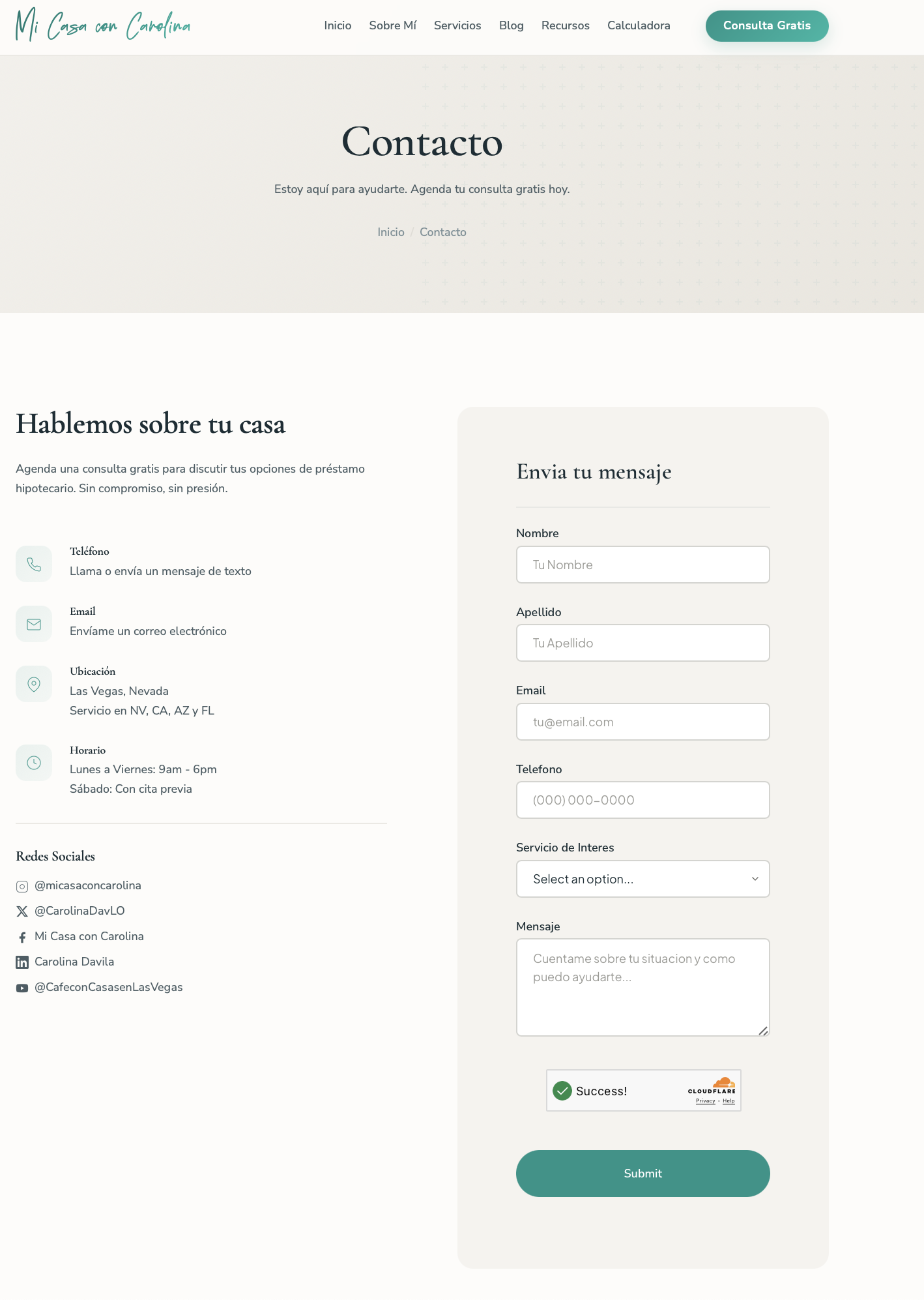
<script src="https://filegrab.link/embed/your-form-id.js"></script>The form loads in a sandboxed iframe, so your site’s CSS won’t interfere with the form, and the form’s styles won’t leak into your page. It also includes Turnstile bot protection automatically.
Customize the Embed
The embed SDK lets you fully brand the form to match your site. Pass a theme object to control colors, fonts, spacing, button styles, and more. You can even load custom Google Fonts.
<script>
  FileGrabWidget.form({
    formId: 'YOUR_FORM_ID',
    container: '#filegrab-form',
    theme: {
      primaryColor: '#0d9488',
      backgroundColor: 'transparent',
      textColor: '#1a2e35',
      fontFamily: "'Nunito Sans', sans-serif",
      headingFontFamily: "'Cormorant Garamond', serif",
      fontCssUrl: 'https://fonts.googleapis.com/css2?family=Cormorant+Garamond:wght@400;600&family=Nunito+Sans:wght@400;500;600&display=swap',
      borderRadius: '8px',
      buttonBorderRadius: '9999px',
      fieldGap: '32px',
    },
    locale: {
      submitButton: 'Enviar',
      successTitle: 'Enviado',
      successMessage: 'Gracias por tu mensaje.',
    },
  });
</script>
The locale object overrides every UI string, so you can serve forms in any language without touching any backend. For the full list of theme and locale options, see the Form Embed SDK docs.
View and Export Submissions
Open your form from the forms dashboard to see all submissions. Each entry shows the respondent’s answers, a timestamp, and a submission ID.
Need the data in a spreadsheet? Export as CSV. The export includes all fields and metadata, ready for Excel, Google Sheets, or whatever tool you use.
Pair Forms with File Upload Links
This is where FileGrab’s form builder stands out from standalone form tools. You can create a form for structured data and a separate FileGrab link for file uploads, then share both.
For example, a freelancer collecting project briefs could share:
- A form for project details (name, budget, timeline, description)
- A FileGrab link for reference files (brand guidelines, mockups, examples)
Both live under your FileGrab account. No juggling between services.
People filling out your form never need to create an account or log in. They open the link, submit their responses, and they’re done. No sign-up friction that kills response rates.
Get Started
Head to /form/new to build your first form. If you already have a FileGrab account, forms are ready to use. No extra setup needed.